How to Know When Your Printer Needs a New Toner Cartridge. Office Printing Guide

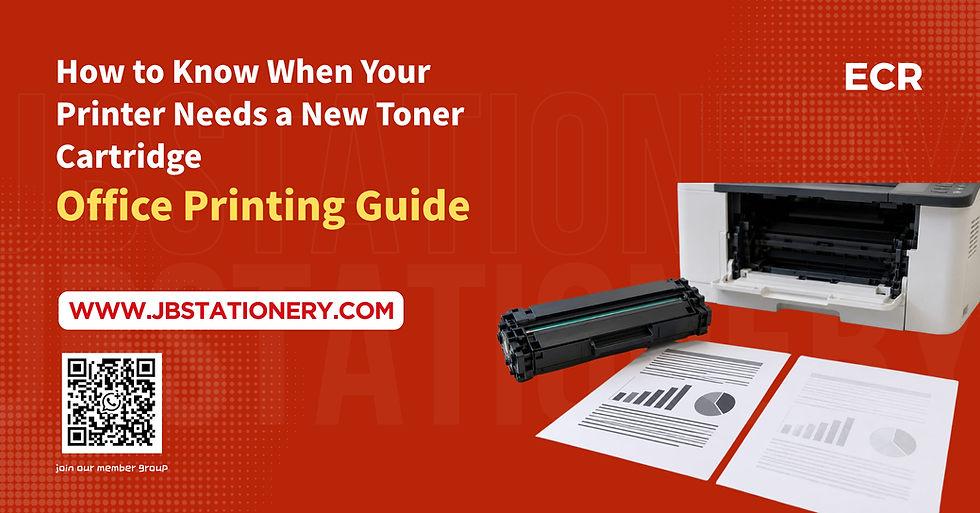
How to Know When Your Printer Needs a New Toner Cartridge
A printer is an essential part of daily office operations. From printing invoices and business documents to preparing reports and customer records, businesses rely on printers to keep their work running smoothly.
However, when print quality starts to decline, one of the first things to check is the toner cartridge.
A toner cartridge that is running low or has reached the end of its usable life can affect print quality and interrupt daily office work. Knowing the warning signs can help businesses avoid unnecessary printing delays and replace supplies at the right time.
In this guide, we will explain how to tell when your printer needs a new toner cartridge, what to check before replacing it, and how to manage printer supplies more effectively.
1. What Is a Toner Cartridge?
A toner cartridge is a consumable used in laser printers and some multifunction printers. It contains fine toner powder, which is transferred onto paper and fused using heat to produce printed text and images.
Toner cartridges are commonly used for:
Black and white document printing
Business reports and invoices
Office forms and records
Photocopying documents on multifunction printers
High-volume office printing
Unlike ink cartridges, which contain liquid ink, toner cartridges use powder. They are commonly used in offices because many laser printers are designed to handle regular document printing and larger workloads.
2. Seven Signs Your Printer Needs a New Toner Cartridge
1. Printed Text Looks Faded
One of the most common signs of low toner is faded printing.
If black text looks grey instead of dark black, or printed documents appear lighter than usual, the toner level may be running low.
However, faded printing does not always mean the cartridge is empty. Incorrect print settings, unsuitable paper, or other printer components may also affect print quality.
What to do: Print a test page and check whether the problem appears across the entire page. If your printer displays a low-toner warning, check the cartridge level as well.
2. White Streaks Appear on Printed Pages
White lines or blank streaks running through printed text can indicate uneven toner distribution or a toner cartridge problem.
If the streaks appear consistently on multiple pages, the cartridge may be nearing the end of its usable life.
What to do: Check the printer's maintenance instructions and inspect the toner status. Do not immediately replace the cartridge without checking whether the problem could be caused by another component.
3. Black Text Looks Uneven
If some parts of a document look darker than others, or letters appear patchy, the printer may not be distributing toner evenly.
Possible causes include a toner cartridge problem, a worn imaging component, or other printer maintenance issues.
What to do: Print a test page and compare it with previous printouts. If the problem continues after basic troubleshooting, arrange for the printer to be inspected.
4. The Printer Displays a Low Toner Warning
Many laser printers and multifunction printers display a warning when toner levels are low.
Depending on the model, you may see messages such as:
Toner Low
Replace Toner
Toner Near End
Replace Toner Cartridge
The exact wording varies between printer brands and models.
A low-toner warning does not always mean that printing must stop immediately. Some printers allow you to continue printing until the cartridge reaches its replacement limit.
What to do: Check the printer display or status software and prepare a replacement cartridge if you rely on the printer for daily business operations.
5. Printed Pages Become Inconsistent
If some pages look normal while others appear faded, patchy, or uneven, the problem may involve the toner cartridge or another part of the printing system.
In some cases, toner may not be distributed evenly inside the cartridge. Other causes may include imaging components or the printer's internal mechanism.
What to do: Print several test pages and observe whether the problem repeats. If the print quality continues to fluctuate, check the manufacturer's troubleshooting instructions.
6. The Printer Stops Printing or Requests a Replacement
Some printers continue operating when toner is low, while others stop printing when the cartridge reaches a specified end-of-life condition.
If your printer displays a replacement message or refuses to print, check the instructions for your particular model.
What to do: Confirm the cartridge model and replacement requirements before purchasing a new one. Avoid forcing parts or bypassing printer warnings without checking the manufacturer's guidance.
7. You Have Printed Close to the Cartridge's Estimated Yield
Toner cartridges have an estimated page yield, which indicates how many pages a cartridge may print under specified testing conditions.
For example, a cartridge rated for approximately 2,000 pages may print fewer or more pages depending on the documents being printed.
Actual yield can vary because of:
The amount of text and images on each page
Printing frequency
Print settings
Paper size and document type
Printer model and operating conditions
A cartridge's estimated yield is a useful guide, but it does not guarantee an exact number of pages.
What to do: If your office prints frequently, keep a record of cartridge replacement dates and approximate print volumes so you can prepare supplies before they run out.
3. Does Low Toner Always Mean You Need a New Cartridge?
Not necessarily.
Before replacing a toner cartridge, check whether the print quality problem can be resolved through basic troubleshooting.
Consider the following:
Check the toner warning: Review the printer display or software to see whether the cartridge is actually low.
Print a test page: Determine whether the issue affects all documents or only specific files.
Check print settings: Make sure draft mode or toner-saving settings have not reduced print density.
Follow the manufacturer's instructions: If the manual permits it, gently redistribute toner according to the recommended procedure.
Inspect other components: A drum unit, transfer component, or fuser problem can also cause poor print quality, depending on the printer model.
If the problem continues, consult the printer manual or a qualified technician before buying replacement supplies.
This can help prevent unnecessary spending on a cartridge that may not be the actual cause of the problem.
4. Toner Cartridge vs Drum Unit: What's the Difference?
Toner cartridges and drum units are sometimes confused because both are involved in laser printing. However, they serve different purposes.
Toner Cartridge
Contains toner powder.
Supplies the material used to create printed text and images.
Usually needs replacement when toner is depleted or the cartridge reaches its service limit.
Drum Unit
Helps transfer the toner image during the printing process.
May be a separate component or integrated into the cartridge, depending on the printer.
Typically has its own service life and replacement requirements.
If your printer produces repeated marks, lines, or other defects, the cause may not be low toner alone. Check your printer model to determine whether it uses a separate drum unit.
5. How to Choose the Right Toner Cartridge for Your Printer
Before purchasing a replacement toner cartridge, confirm that it is compatible with your printer.
Check the Printer Model
Look for the model number on the printer body, control panel, or manufacturer's software.
Do not choose a cartridge based only on appearance because different cartridges may look similar but use different fittings or specifications.
Confirm the Cartridge Part Number
Check the existing cartridge label or your printer's official documentation to identify the correct replacement part number.
Choose Between Original and Compatible Toner
Original toner cartridges are manufactured under the printer brand's own product line. Compatible cartridges are produced by third-party manufacturers for use with specified printer models.
When comparing options, consider compatibility, print quality, reliability, warranty terms, and overall cost per printed page.
Always check the manufacturer's guidance and the terms of your printer warranty before making a decision.
Consider Your Office Printing Volume
Businesses with high printing volumes may benefit from monitoring toner consumption and keeping compatible replacement supplies in stock.
For smaller offices, purchasing according to actual usage can help avoid holding too much inventory.
6. How Can Businesses Reduce Toner Cartridge Costs?
Printer consumables can become a regular operating expense, particularly for businesses that print documents every day.
Here are several practical ways to manage toner usage.
Use the Right Print Settings
Use draft or toner-saving mode for internal documents when appropriate. Reserve higher-quality settings for documents that require clearer text or detailed images.
Print Only What You Need
Review documents before printing, use digital copies when suitable, and avoid unnecessary duplicate printouts.
Monitor Toner Usage
Keep a simple record of cartridge replacement dates, printer models, and approximate monthly page volumes.
This helps your business identify usage patterns and prepare replacement supplies in advance.
Compare the Cost per Page
Instead of looking only at the purchase price, compare the cartridge's estimated yield and total cost.
A cartridge with a lower purchase price may not always offer the lowest cost per printed page.
Keep Essential Supplies Available
If your business depends on printing invoices, delivery orders, reports, or customer documents, maintaining a reasonable supply of essential toner cartridges can help reduce unexpected interruptions.
7. Where to Buy Office Printer Supplies in Johor Bahru?
If your business is looking for office supplies in Johor Bahru, it is useful to work with a supplier that understands your everyday printing and stationery requirements.
In addition to toner cartridges, businesses may need:
A4 printing paper
Pens and markers
Files and folders
Envelopes and labels
Staplers and other office stationery
Printing and photocopying services
Binding and laminating services
Managing these supplies together can make purchasing more convenient and help businesses maintain a more organized office inventory.
When purchasing toner, always provide your printer model or existing cartridge part number so the correct product can be identified.
8. Simplify Office Supply Management with ECR Office Solution
Keeping an office running smoothly requires more than having a working printer. Businesses also need a reliable way to manage stationery, paper, printing materials, and other everyday supplies.
ECR Office Solution Sdn Bhd provides stationery, office supplies, printing, photocopying, binding, laminating, and design services for businesses and individual customers in Johor Bahru.
Whether you need A4 paper, everyday stationery, or printing-related services, organizing your office supply requirements can help reduce last-minute purchasing and keep daily operations running more smoothly.
For businesses that regularly use office stationery, a planned replenishment routine can make it easier to monitor usage and prepare supplies when needed.
9. Frequently Asked Questions (FAQ)
How do I know if my toner cartridge is empty?
Common signs include faded text, uneven print quality, a low-toner warning, or a replacement message. Check the printer status and test page before deciding whether a new cartridge is required.
Can I continue printing when the toner is low?
Some printers allow you to continue printing after a low-toner warning, while others may stop when the cartridge reaches its replacement limit. Follow the instructions for your printer model.
Why is my printer printing faded text even with a new toner cartridge?
Possible causes include incorrect print settings, an incompatible cartridge, an imaging component problem, or another printer maintenance issue. Check the printer manual and cartridge compatibility before arranging a service inspection.
How long does a toner cartridge last?
The lifespan depends on the cartridge's estimated page yield, printing volume, document coverage, and operating conditions. Check the manufacturer's specifications for your particular cartridge.
Should I replace the toner cartridge or drum unit?
This depends on the printer design and the error or print defect. Some printers combine the toner and drum in one unit, while others use separate components. Check the model-specific instructions before replacing either part.
Can I use a compatible toner cartridge?
Compatible toner cartridges may be suitable for supported printer models. Confirm compatibility, product quality, warranty conditions, and the manufacturer's recommendations before purchasing.
Conclusion
Knowing when your printer needs a new toner cartridge can help your business maintain print quality and avoid unexpected interruptions.
Faded text, white streaks, low-toner warnings, and repeated print defects are useful signs to investigate. However, these symptoms do not always mean the toner cartridge is empty, so basic troubleshooting is important before replacing it.
For businesses, regular monitoring of toner usage, checking cartridge compatibility, and keeping essential printing supplies available can make office operations more efficient.
If you are looking for stationery, office supplies, or printing-related services in Johor Bahru, ECR Office Solution Sdn Bhd can help support your everyday business needs.
ECR Office Solution Sdn Bhd — Your One-Stop Solution for Stationery, Office Supplies, Printing and Design Services in Johor Bahru.
🎯 Focus on what matters most and boost your office efficiency!
Let ECR Office Solutions be your dedicated stationery manager—no more last-minute dashes to the store when you run out of supplies!
🎯 Contact us for more details.
🎯 WhatsApp Community.


Comments